Tools / Stacking
Toolbar tool
Stacking
Turn a folder of raw sub-exposures into one clean master — graded, aligned, and integrated. No separate stacking app needed.
What it does
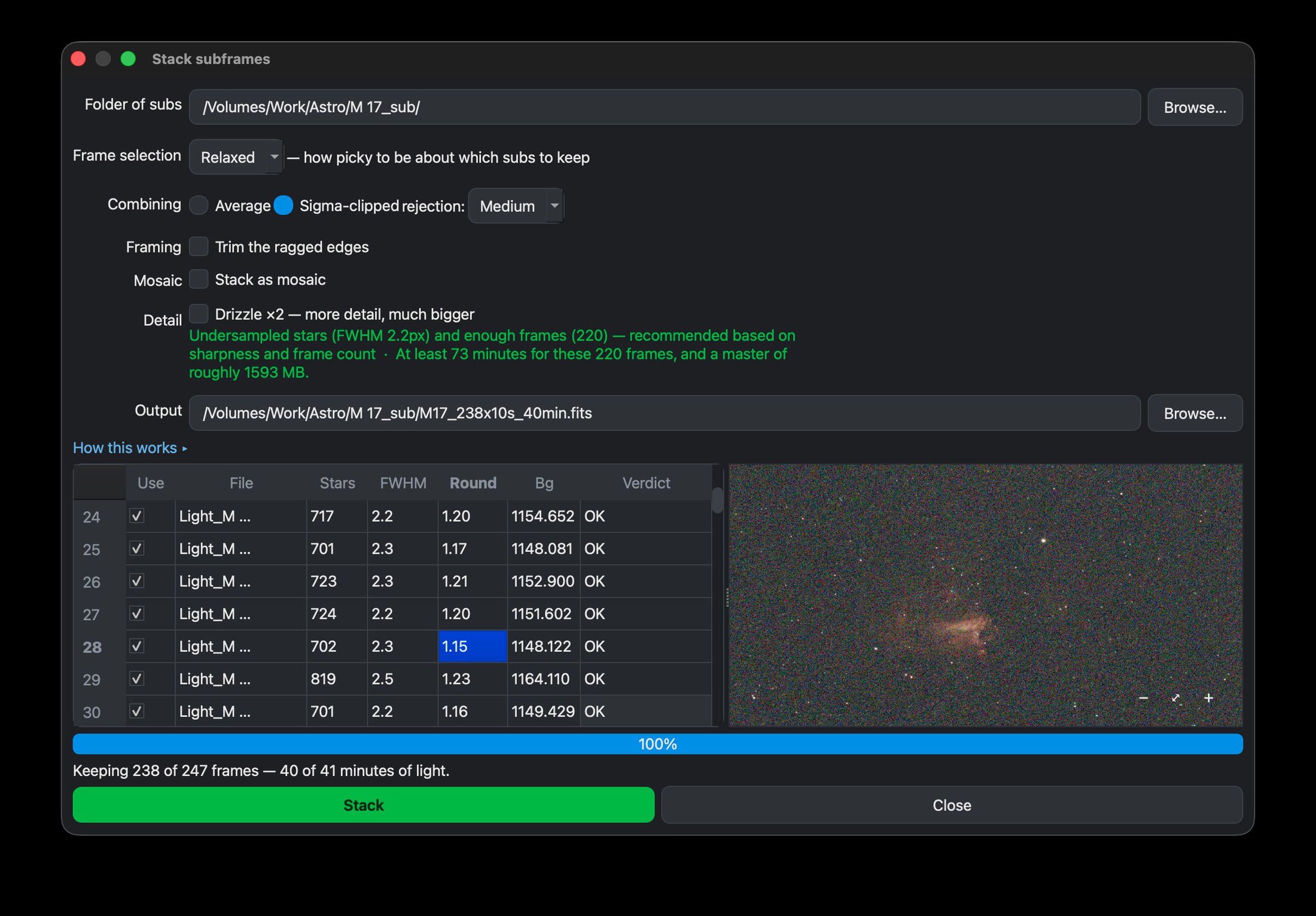
Stack turns a folder of raw sub-exposures into one clean master. It measures every frame (how many stars, how sharp they are, whether they trailed, whether cloud or an obstacle got in the way) and leaves out the poor ones. It then aligns the rest, allowing for the field rotation of an alt-az mount like the Seestar’s, and combines them into one image.
How to use it
- Click Stack in the toolbar and choose your folder of subs.
- Choose a Strictness: Relaxed, Normal or Strict. It decides how picky Stack is about which frames to keep.
- Choose how the frames are combined: Average, or Sigma-clipped, which also removes satellite trails, planes and hot pixels.
- Review the list. Stack has already ticked the frames it recommends; you can change any of them. Then click Stack, and the finished master opens in the editor.
How the night went
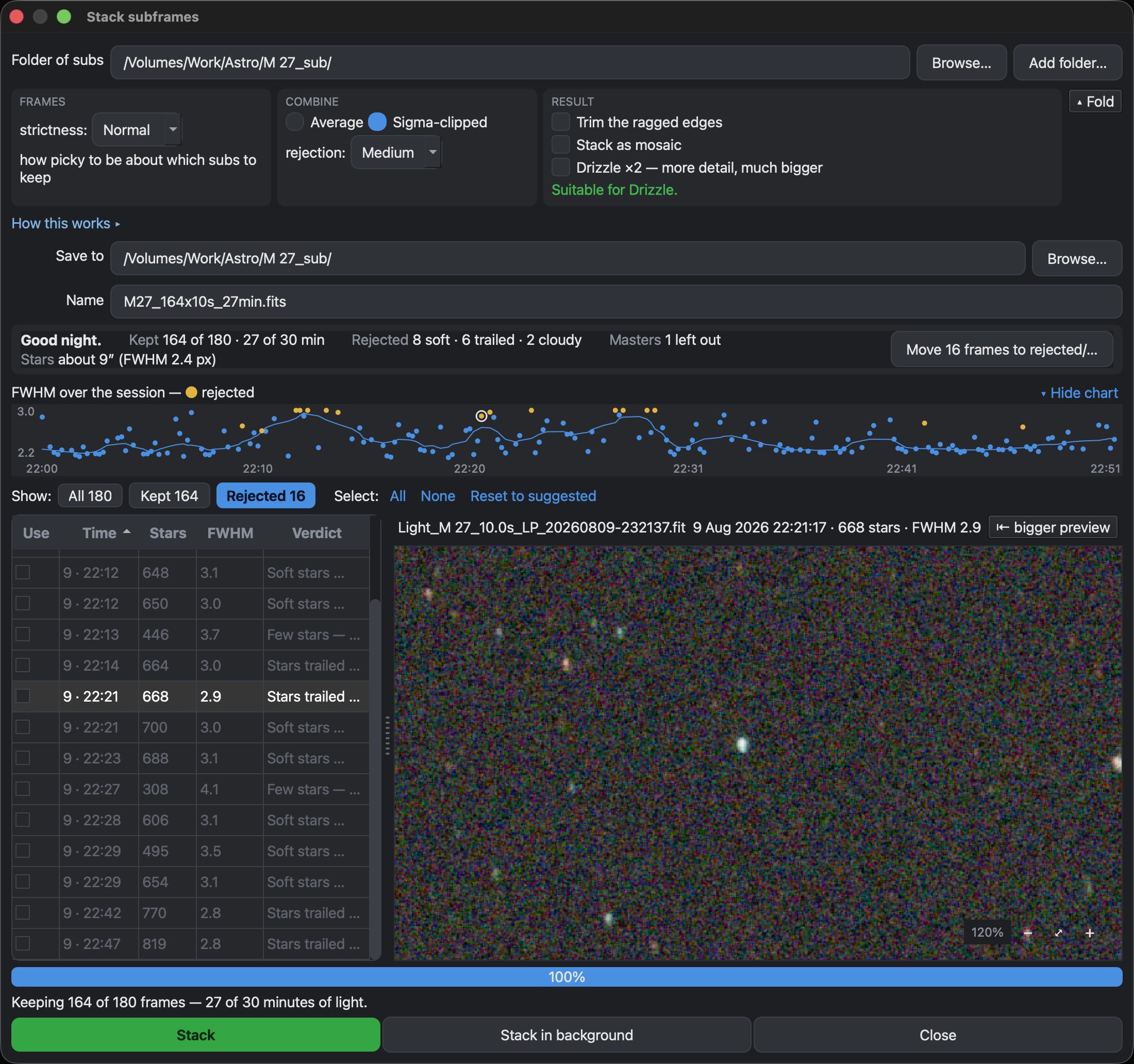
Above the list, one line sums up your night: how many frames were kept, how many minutes of light that gives you, why the others were left out, and how large your stars are. Below it, a chart shows how sharp the stars were through the session, with rejected frames in amber. You can see at a glance when the target sank into haze or a cloud passed. Click a dot to see that frame.
Move the rejects out of the way
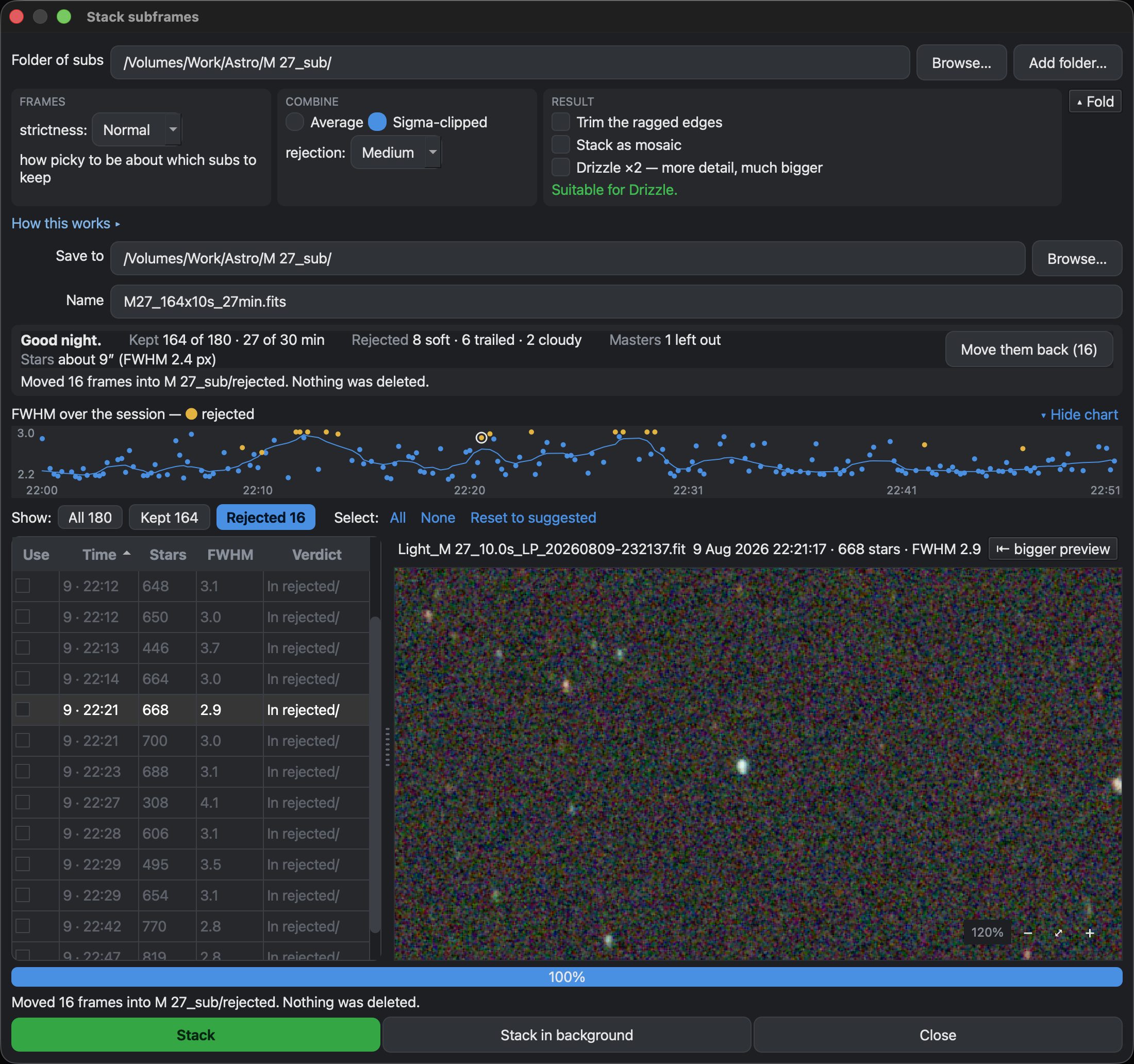
Move frames to rejected/ moves the frames you’re not using into a folder called rejected, next to your subs. Your subs folder then holds only the frames that made the master. Nothing is deleted, and Move them back returns them, even in a later session. Moved frames stay on the chart as faint grey dots, so you can still see how the night went.
Several nights, each judged on its own
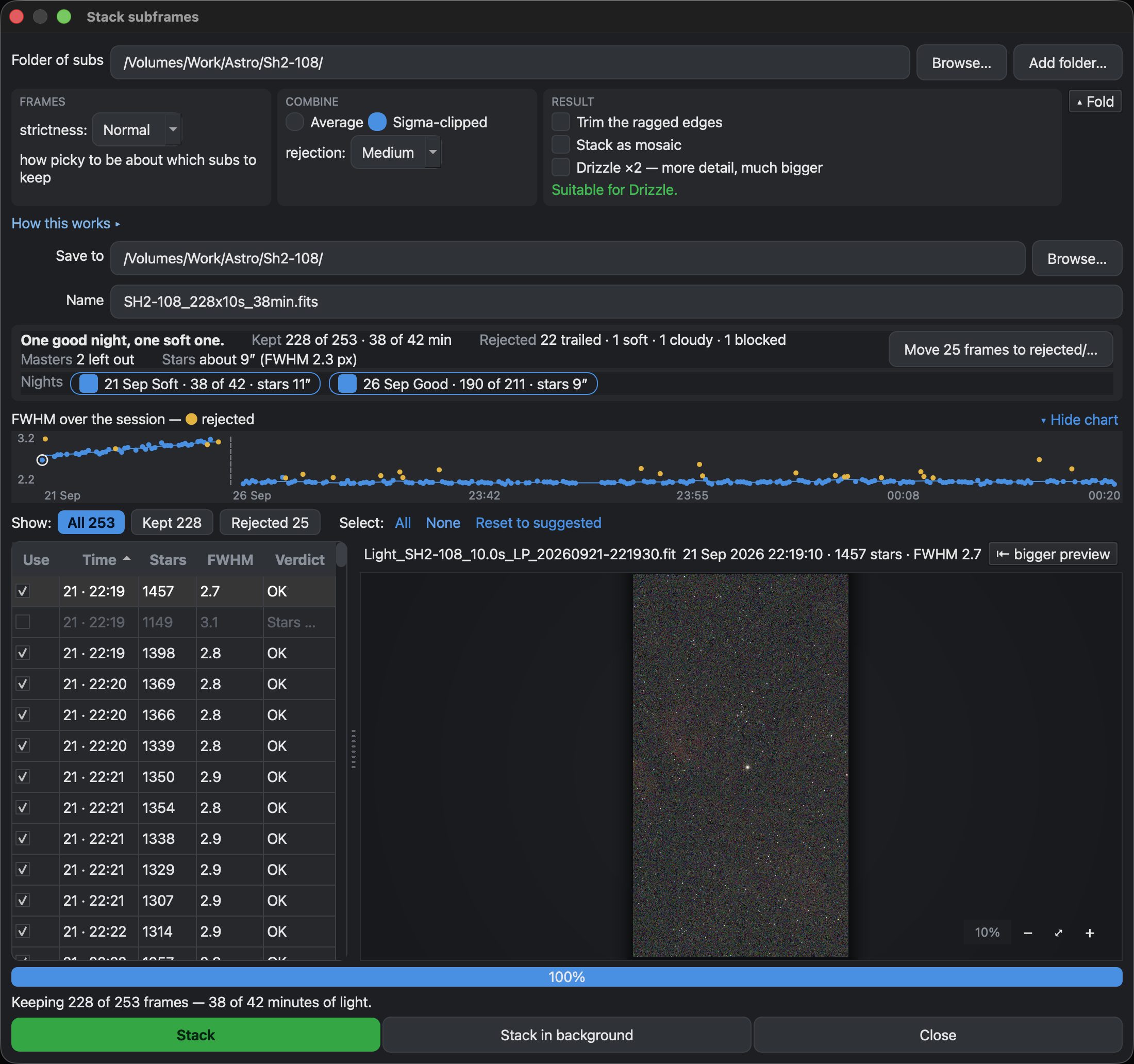
A folder shot over several nights is split into nights — noon to noon, local time — and each night is graded against its own conditions, so a hazy second night does not drag a sharp first one down. Each night gets a chip with its own verdict; untick a chip to leave that whole night out. Add folder… brings in subs saved somewhere else, such as a second night on another card.
Drizzle ×2
Drizzle builds the master at twice the resolution. Instead of enlarging a finished stack, Stack places each frame’s light on a finer grid, at the spot where it actually fell. Stars come out smaller and sharper than in an enlarged normal stack, and fainter stars appear.
Drizzle only helps some stacks, and Stack tells you whether yours is one of them. It needs sharp stars, at least 20 frames, and frames that moved slightly between exposures.
Drizzle has a cost. Stacking takes about ten times longer, and the master is four times larger.
If you already have a stacked master — from the Seestar app, say — you can skip stacking entirely and just Open Image.
When you do not need this toolTips
More subs mean a cleaner master with less noise. Sigma-clipped integration is the safe default — it rejects the odd satellite trail automatically.
Download Nocturnefree · macOS, Linux & Windows Try it on sample data
New to Nocturne? The guide walks through every step in order.